Choosing the right chair is crucial for home office ergonomics. You spend hours sitting, so it’s essential to find one that keeps your body happy and pain-free. A great chair supports your back, promotes good posture, and helps reduce fatigue, making those long workdays feel a lot easier.
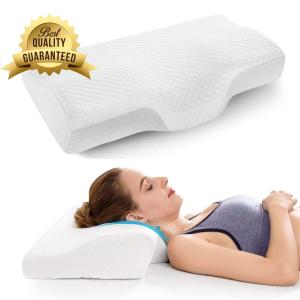
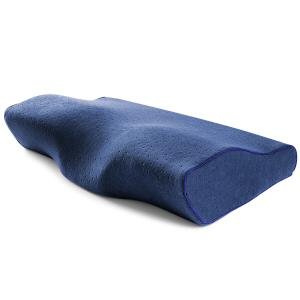
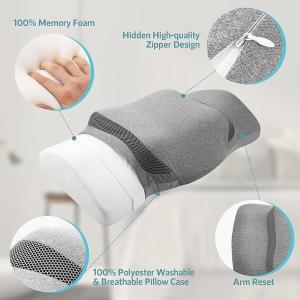
Look for chairs that offer adjustable features like seat height, armrests, and lumbar support. The ability to customize your chair to fit your body can make a huge difference. Memory foam cushions are a nice touch too – they conform to your shape and provide comfortable support.
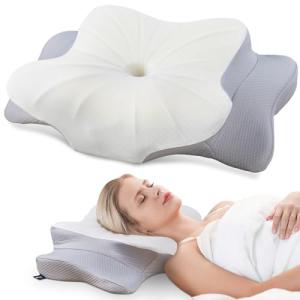
Consider ergonomic chairs with breathable materials. Staying cool can enhance your concentration, plus it’s just more comfortable. Some models even come with built-in neck support, which is a game changer if you tend to hunch or lean forward.
Don’t forget about mobility! A chair with wheels helps you glide around your workspace without straining. Whether you need to grab something from the shelf or take a call, easy movement can keep your workflow smooth and efficient.
In short, the best chairs for all-day comfort will not only fit your budget but also meet your needs for home office ergonomics. Investing in a good chair is investing in your health, productivity, and comfort.
Desks That Boost Your Productivity
When it comes to Home Office Ergonomics, choosing the right desk plays a huge role in keeping you productive. A comfortable, well-designed desk can make long hours of work feel less exhausting. Look for desks that offer plenty of surface area for your laptop, notes, and a coffee mug or two. Having everything within arm's reach can really boost your workflow.
Standing desks are all the rage these days, and for good reason. They let you switch between sitting and standing, which is great for your back and helps you stay alert. Some even come with adjustable heights, so you can find the perfect fit. Plus, being on your feet can pump up your energy levels, making it easier to focus on tasks.
If space is tight, consider a corner desk. It maximizes your workspace without taking up too much room. You can tuck it into a corner and use the extra wall space for shelves or décor. This setup keeps everything organized and encourages a more productive mood. A clean, clutter-free workspace makes a world of difference.
Another great option is a desk with built-in storage. Drawers and shelves help you keep essentials handy while keeping your workspace tidy. A desk that helps you stay organized will make it easier to concentrate on your work, which is key for smooth Home Office Ergonomics.
Don’t forget about your chair. Pairing a solid desk with an ergonomic chair creates the perfect duo for comfort and productivity. Your body will thank you for it, and you’ll find yourself getting into the zone much easier. Choose a setup that not only looks good but feels great too!

White Ergonomic Office Chair with Headrest and Armrests
Upgrade Your Workstation with a White Ergonomic Office Chair with Headrest and Armrests
Product information
Product Review Score
4.09 out of 5 stars
115 reviewsProduct links
Tools for a Healthier Work Setup
Keeping your workspace comfortable is a big part of Home Office Ergonomics. It’s all about choosing the right tools that make your day smoother and healthier. Let’s dive into some must-have products that can transform your home office into a cozy and productive space.
First up, an ergonomic chair is essential. Look for one with good lumbar support to keep your back happy during long work hours. A chair that lets you adjust the height and tilt can work wonders for your posture. It helps you sit upright and reduces strain on your spine.
Next, don’t underestimate the power of a standing desk. Switching between sitting and standing can keep your energy levels up and help avoid that afternoon slump. Many standing desks are adjustable, so you can find the perfect height for both positions. Plus, it gives you a chance to stretch those legs!
Let’s not forget about keyboard and mouse placement. An ergonomic keyboard can help keep your wrists in a natural position, reducing the risk of discomfort. Pair it with a well-placed mouse that fits comfortably in your hand. This combo can improve your typing experience and reduce strain on your arms and shoulders.
Finally, consider adding some organizational tools. A monitor stand can help bring your screen to eye level, which is a game changer for Home Office Ergonomics. This simple tweak keeps your neck aligned and can decrease headaches. Plus, it creates extra space for your other essentials. Keeping everything tidy makes your office feel more welcoming and less chaotic!

Ergo Gaming PU Swivel Chair for Office & Home
Upgrade Your Workspace Comfort with Our Ergo Gaming PU Swivel Chair for Your Office and Home
Product information
$59.99 $53.39
Product Review Score
4.21 out of 5 stars
229 reviewsProduct links
Easy Tips for Better Posture at Home
Better posture can make a world of difference when you're working from home. It’s all about keeping your body aligned and comfortable while you tackle your tasks. Here are some easy tips to improve your Home Office Ergonomics.
First off, adjust your chair. Your feet should touch the ground or a footrest, and your knees should be level with or a bit lower than your hips. If your chair has armrests, make sure they’re at the right height so your shoulders can relax. A good chair can keep you supported throughout the day.
Next up is your desk setup. Keep your monitor at eye level. If you have to look up or down too much, it can strain your neck. Use a stack of books or a monitor stand to raise it if needed. Your keyboard and mouse should be close enough so you don’t have to stretch. Aim for a 90-degree angle with your elbows for a comfy reach.
Don’t forget to take breaks! Every hour, stand up, stretch, and move around a bit. This helps keep your blood flowing and eases any muscle tension. Consider using a timer or an app to remind you to get up and move.
Lastly, pay attention to how you sit. Keep your back straight and your shoulders relaxed. Avoid slouching or leaning forward. If you’re using a laptop, try to elevate it to eye level with a lap desk. Your body will thank you for it in the long run!